
AI-ready notifications: the mistake many teams make before adding AI to their messaging
⏱ Reading time: ~9 minutes
Many teams today expect that if they add AI to their SMS, Viber, WhatsApp and email campaigns, they’ll end up with AI-ready notifications – and that will magically solve low open rates, missed payments and chaotic notifications. Our experience shows the opposite: when the core flows are fragmented, with unreliable data and missing steps, AI simply amplifies that chaos.
That’s why it’s worth starting with one simple question: are your notifications and processes ready for AI, or are we still patching the core flows?
In this article we talk exactly about AI-ready notifications – what they look like, how to prepare them, and when it makes sense to add AI on top of them.
What you’ll learn in this article:
1. Why AI won’t fix broken notifications on its own
2. Notifications as the backbone of customer communication
3. The main mistake: we automate the chaos
4. What AI-ready notifications look like in a real system
5. Checklist: are you ready for AI
6. Use case: subscriptions and failed payments
7. Where AI actually helps
8. Conclusion and next step
FAQs
1. Why AI won’t fix broken notifications on its own
In real e-commerce, SaaS and fintech teams, the problem is rarely “we don’t have enough AI.” Much more often it is: notifications and processes are chaotic, the data is incomplete, and nobody sees the whole picture.
- Broken processes: different teams send different messages for the same event.
- Bad data: old phone numbers, missing consents, missing contact history.
- Lack of visibility: it’s unclear what was sent, through which channel, and with what result.
- No owner: notification logic is scattered across product, marketing, CRM and custom software.
When these problems are present, there’s no way a single AI solution can fix your notification system – that’s why the next sections are about putting the skeleton in order before AI.
2. Notifications as the backbone of customer communication
Notifications drive orders, payments, security and support. They go through SMS, Viber, WhatsApp, email, Web Push – often at the same time. If this “skeleton” is unstable, every new layer of automation and AI-driven personalization only increases the risk.
The simplest way to see where you are is to walk through four core elements: events, data, workflows and observability.
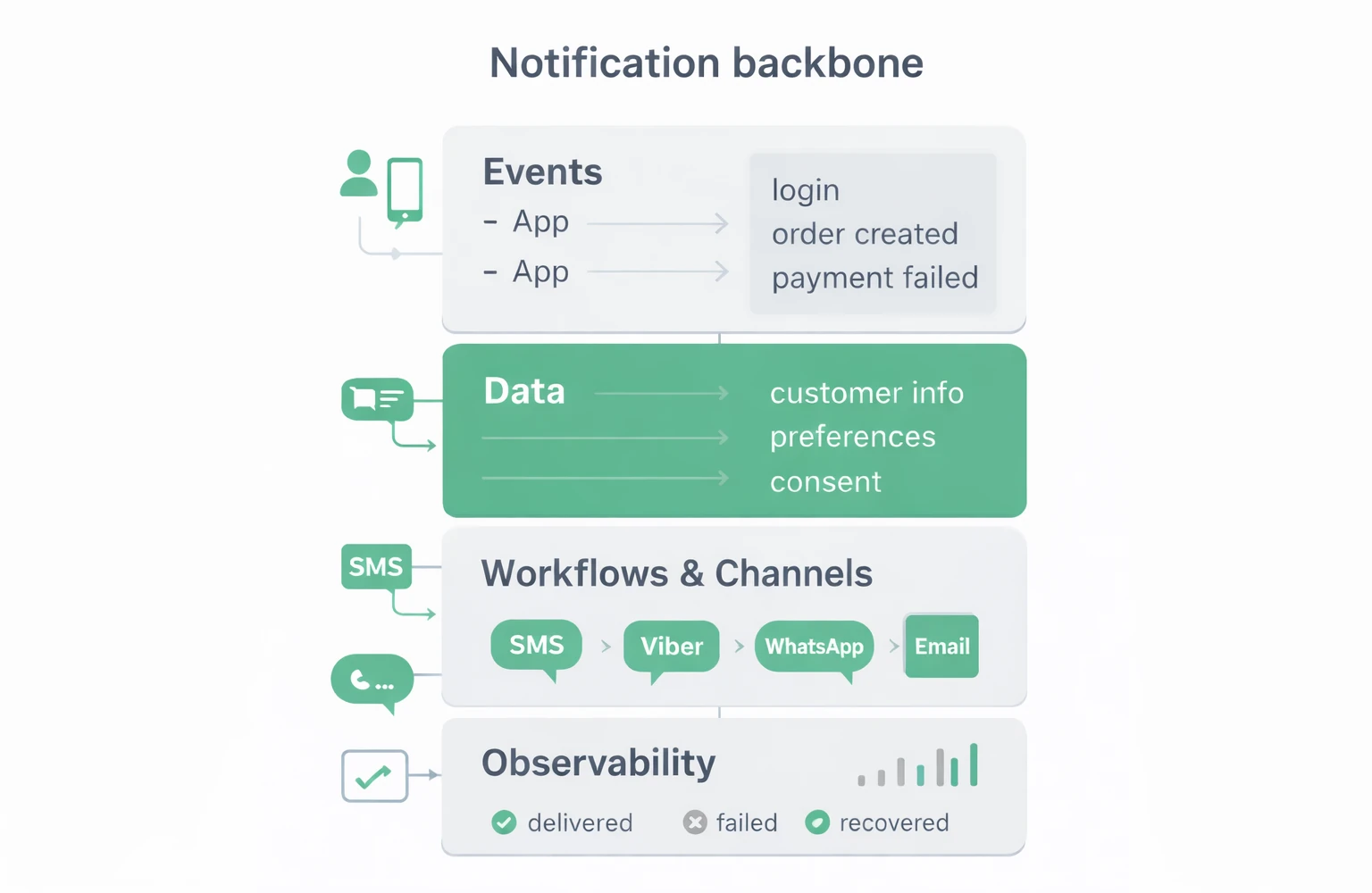
The table below shows what each of these elements looks like when it’s in order – this is the baseline for AI-ready notifications.
|
Element |
What it looks like when it’s in order |
|---|---|
|
Events and states / lifecycle |
A limited list of key events (order, payment, renewal, cancellation). |
|
Data and consents |
Verified contacts per channel – SMS, email, Viber, WhatsApp. Clear opt-in / opt-out and basic security and compliance rules. |
|
Workflows and channels |
Notifications are described as workflows with a start, an end and fallback routing – not as separate SMS or emails. |
|
Observability |
Dashboards and per-customer history: you can see what was sent, through which channels, and with what result. |
When these four elements are in place, the multi-channel messaging platform becomes a predictable tool – not a “black box.”
📌 Example: for a customer with a high share of subscription payments, we organized the core notification flows across SMS, Viber and email. Even before any AI, recovered payments increased and the “I didn’t receive a notification” complaints decreased.
What to do at this stage:
– For the key steps (sign-up, payment, renewal, recovery), define one primary channel and one fallback.
– Check whether you have verified data and consents for each channel (SMS, Viber, WhatsApp, email).
– Make sure you can see, in one dashboard, what was sent, through which channels, and with what result.
Only when these foundations are stable does it make sense to think about AI and more complex personalization.
If you’re just choosing channels, see also our comparison of SMS, Viber and WhatsApp for business messaging.
3. The main mistake: we automate the chaos
A common picture: we buy a new engagement & automation platform, add more channels and even AI modules – and the core processes and data remain the same.
Typical symptoms:
+ Scattered logic – some in the CRM, some in the marketing platform, some in custom code
+ Duplicated or conflicting messages to the same customer
+ Nobody knows where to change a given rule
+ AI “amplifies” the mistakes – the wrong people receive “smarter” messages
The result is predictable: instead of one clear flow, we have fragmented rules across a CRM, a marketing platform and custom code – and nobody sees the whole picture.
🎯 Instead of adding AI first, a more sustainable approach is to organize processes, data and notifications so that every change is traceable and measurable – and AI stands on a stable foundation, not on chaos.
4. What AI-ready notifications look like in a real system
AI-ready notifications do not simply mean “we have the latest model,” but that four things are already in place. In the previous section we saw them as elements of the skeleton – here we turn them into a short checklist: what we actually check in practice.
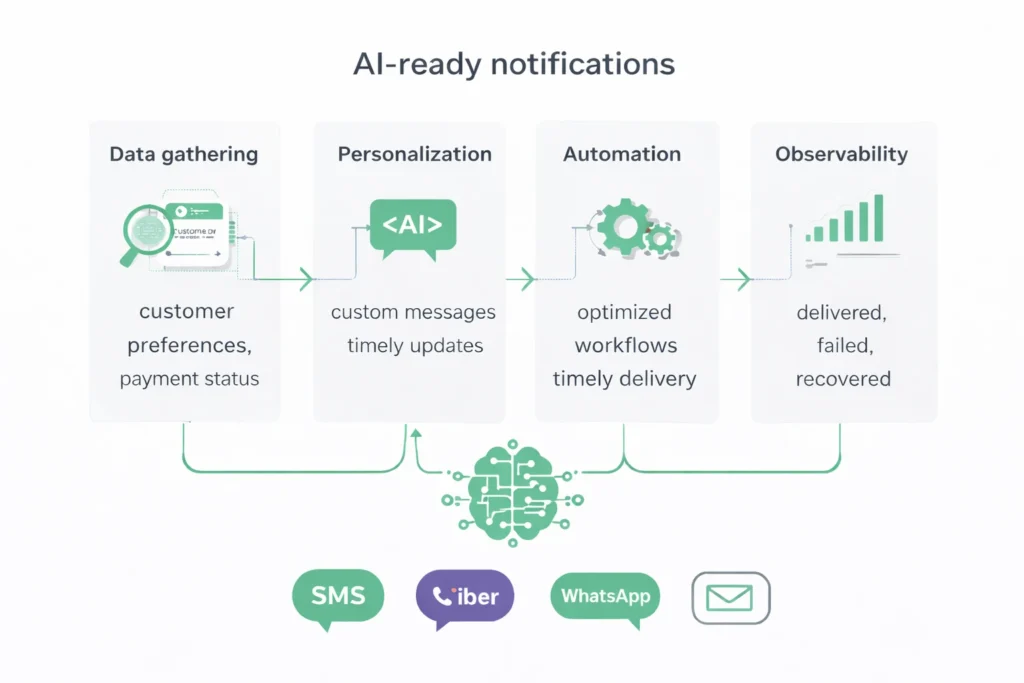
The table below can serve as a working list when auditing notifications.
|
Area |
What we check in practice |
|---|---|
|
Events and states / lifecycle |
Can we list the core events that trigger notifications and explain what each of them means for the customer? |
|
Data, consent and security |
Do we have verified contacts per channel, clear opt-in / opt-out, and basic security rules for SMS, Viber, WhatsApp, email and other channels? |
|
Workflows and multi-channel strategy |
Are key notifications described as flows – with a start, end and fallback routing – rather than as single messages? |
|
Observability and ownership |
Do we have dashboards and per-customer history – and is it clear who looks at this data and who is responsible for notification logic and the changes to it? |
🎯 When you can calmly answer “Yes” to these questions, AI becomes a natural continuation of the system – instead of an attempt to “patch” gaps in processes and data.
5. Checklist for AI-ready notifications: are you ready for AI in your notifications?
Use this short checklist as an internal “freeze-frame” before you start an AI project for notifications and customer engagement.
Answer with “yes” or “no”:
1. Can we clearly list the main events and lifecycle states (sign-up, payment, renewal, cancellation)?
2. Do we have at least one verified primary and fallback contact channel (e.g., SMS/Viber and email) for most active customers?
3. Are notifications described as flows with a start, end and fallback routing, rather than as single messages?
4. Do we have basic delivery and response metrics, and recovered cases (e.g., overdue payments that were eventually paid)?
5. Can we see, in one dashboard, for each customer what was sent, through which channels, and with what result?
How to interpret the result:
+ 0–2 “yes” → AI will be more of a risk than a help – you won’t be able to measure the effect.
+ 3–4 “yes” → there is a foundation, but it makes sense to organize processes and data first.
+ 5 “yes” → you can already plan small AI experiments on specific flows.
📌 If you can honestly tick most of the points in this checklist, you’re close to AI-ready notifications.
🎯 It’s important that, before AI, everything else is as clean and traceable as possible – only then will you see whether the change brings a positive or a negative result.
6. Use case: subscription product and failed payments
A typical situation in SaaS/fintech subscriptions: out of 100 payment attempts, 10–30 fail on the first try, and only a small portion get recovered without a well-structured dunning flow. Customers get frustrated, and teams lack a clear picture of what’s actually happening.
How we structure the flow:
+ Day 0: Viber/WhatsApp message with a short text and a payment link
+ Day 1: SMS reminder for those who haven’t responded
+ Day 3: Email with more details and payment options
+ Day 7: final warning before service suspension
📊 Then we add basic metrics: number of “payment_failed”, how many payments were recovered, which channel drives the most recoveries, what share of customers churn after a failed payment. All of this is visible in one shared dashboard.
🎯 Only on top of such a foundation does it make sense to test AI – for example, to optimize reminder frequency or the best channel per segment. This way it’s clear whether the AI improvement is real or whether it simply adds more noise.
7. Where AI actually helps
When core notifications and data are organized, AI (GenAI, recommendation models, etc.) already has something to stand on. In practice, we most often see three areas where it brings real value:
- Timing and frequency of messages (timing & frequency) – AI helps choose when to send an SMS, Viber, WhatsApp or email based on customer behavior, without “flooding” them with unnecessary notifications.
- Channel selection and fallback (channel mix & routing) – a model that, for each customer, chooses a primary and fallback channel (e.g., Viber first, then SMS), based on delivery and response history.
- Content and personalization (content & personalization) – dynamic templates that change the text based on segment, plan, language, risk, etc., built on already clean data and well-defined events.
🎯 In all of these cases, AI amplifies a well-organized system – it doesn’t fix chaos.
Conclusion: AI-ready notifications before AI experiments
AI-ready notifications doesn’t mean simply adding one more module. It means core notifications are clear, observable and managed – so that AI improves specific metrics instead of amplifying the chaos.
🔑 Successful AI projects build on:
+ Organized events and lifecycle
+ Clean and traceable data, consents and security
+ Clear flows for SMS, Viber, WhatsApp, email and other channels
+ Observability and ownership over notifications
AI is an amplifier: if processes and data are good, it improves results; if they’re chaotic, it multiplies problems.
📬 If you want us to see where you are on this path, we can do a quick assessment of your notifications and channels and propose concrete next steps.
Frequently Asked Questions
📝 All examples in this article are illustrative and based on real scenarios. Their goal is to show how organized processes, data and notifications prepare the ground for meaningful use of AI.

Todor Sbrikov
Founder and Marketing Director
Helping B2B teams engage customers and automate messaging workflows across SMS, Viber, email, and more.